Throughout this course, I explored a wide range of media formats through my Daily Creates, and each week pushed me to think differently about how people learn, how meaning is communicated, and how design choices shape understanding. Working with text, images, video, audio, multimedia, and data visualization helped me see how learning theories, specifically multimedia design principles, directly influence the way educational resources are created.
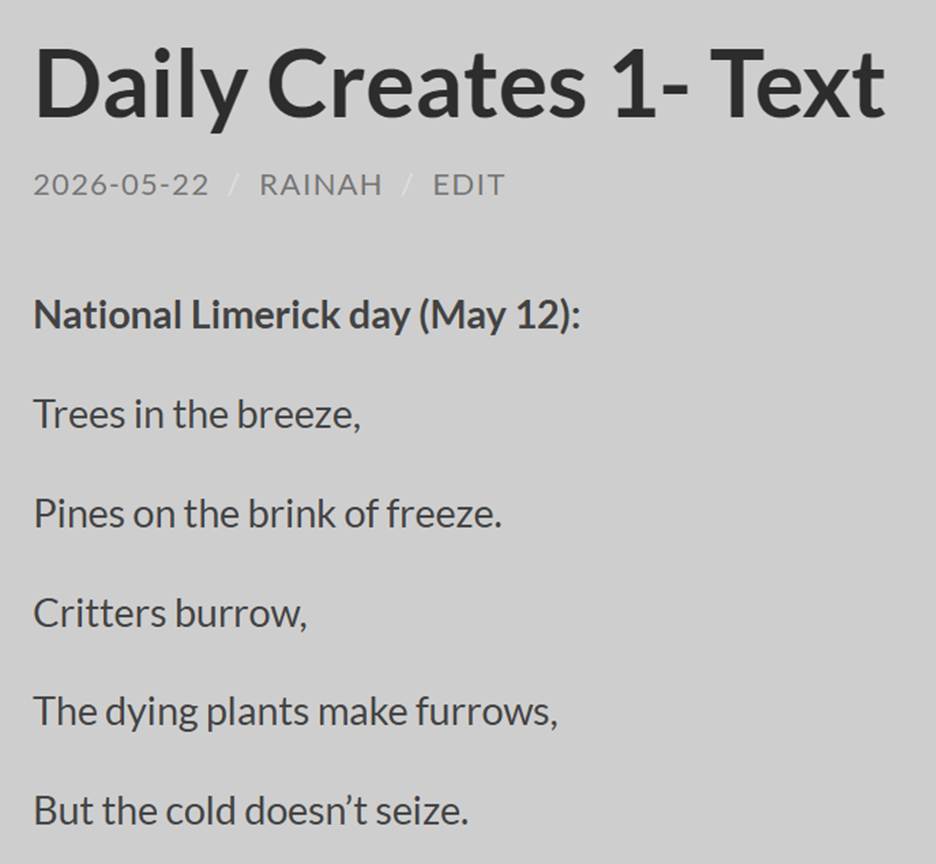
My first week of Daily Creates focused on text, which is one of the simplest and most familiar forms of media. In my post, Week 1- Text (https://edci337rainah.opened.ca/2026/05/22/week-1-text/), I wrote poems and a short story, which reminded me how powerful written language can be in guiding a reader’s imagination. Writing a limerick required me to do some research to remind myself of the structure and think carefully about rhythm, rhyme, and pacing. This process helped me understand how text naturally segments information, which connects to the Segmenting Principle. The First Lines poem gave me more freedom, and I found myself leaning into a conversational tone that aligns with the Personalization Principle. Even though text is simple, it is incredibly flexible, and this week helped me see how written storytelling supports learning by helping readers build mental images and emotional connections.
The next week, I shifted to audio in Daily Creates 2 (https://edci337rainah.opened.ca/2026/05/24/daily-creates-2/). Recording audio felt very different from writing because tone, pacing, and emphasis suddenly mattered in ways that text alone cannot capture. Reading a poem out loud or attempting to pronounce a difficult word made me realize how much meaning is carried through sound. This connected strongly to the Voice Principle, which emphasizes the importance of natural human speech in learning. Audio also helped me understand the Temporal Contiguity Principle, because hearing the pronunciation of a word immediately after seeing it made the learning experience more cohesive. Exploring apps like Wolfram Tones and Visualize the Music pushed me to think about how sound can be transformed into something visual or interactive, which deepened my understanding of how different senses can work together to support learning.
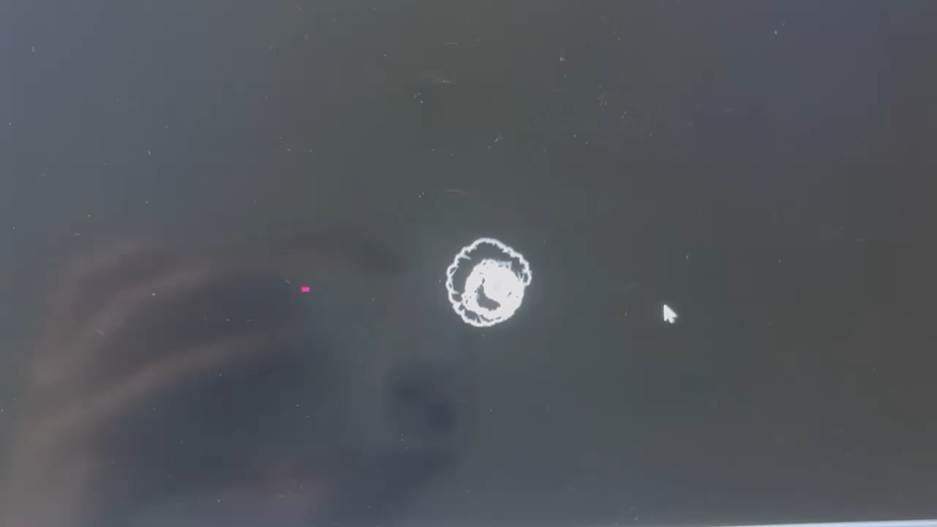
My third week focused on images (https://edci337rainah.opened.ca/2026/05/30/daily-creates-3-images/). Photography and visual representation are incredibly powerful tools for communication because they give viewers an immediate anchor for understanding. As I mentioned in the post, when I coach, I often draw out drills to help players visualize spacing and movement, and reflecting on this helped me see how images reduce cognitive load by giving learners something concrete to reference. This connects to the Representational Pictures Principle, which highlights how realistic visuals support comprehension. Adding labels or drawn elements directly onto an image also relates to the Signaling Principle, because it guides attention to the most important details.
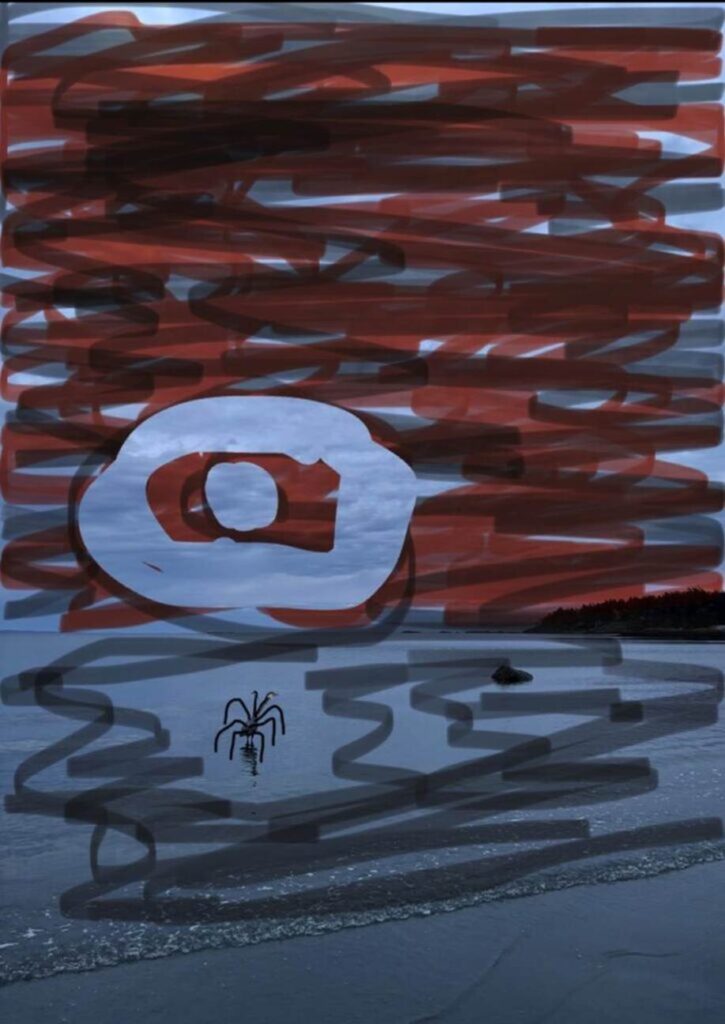
The Monster Art activity reinforced how essential visuals can be; without the image, the description would have been confusing, but the picture provided a clear reference point that strengthened understanding. This week helped me see how images support learning not only in storytelling but also in everyday communication and instruction.
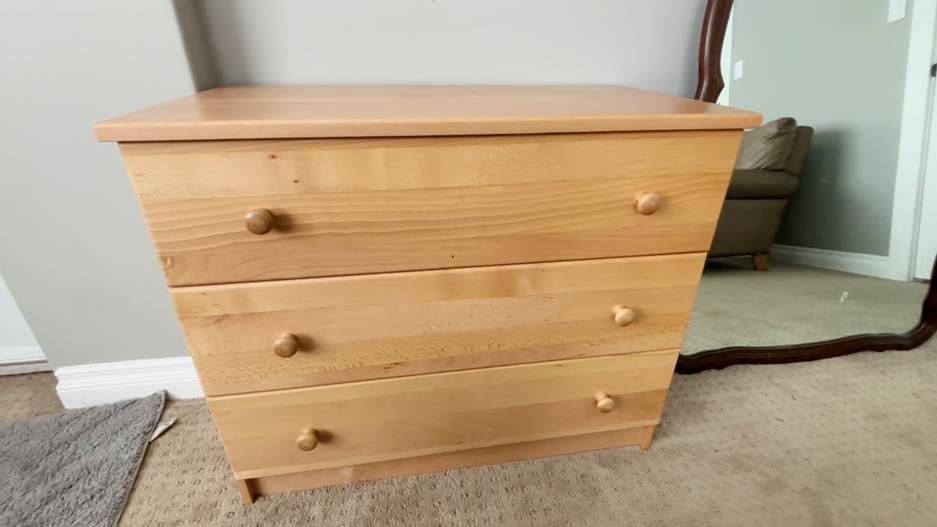
In Daily Creates 4- Video (https://edci337rainah.opened.ca/2026/06/06/daily-creates-4-video/), I explored video as a form of media. Video combines visuals, audio, and sometimes text, making it one of the best formats for learning. My “Explain an Item” video, where I showed and described a dresser, helped me understand how the Multimedia Principle works in practice. Showing the dresser from different angles while explaining its purpose made the information clearer than if I had only described it verbally.
The One Take Tongue Twister prompt helped me see how text can support audio by giving viewers something to follow along with, especially when the spoken words are fast or unclear. This relates to the Modality Principle, which emphasizes balancing visual and auditory channels to avoid overload. Video also made me think about accessibility, like how someone might rely on audio if they cannot look at the screen, or rely on visuals and text if they cannot hear the audio. This week helped me understand how video can support diverse learners by offering multiple ways to access meaning.
My fifth week focused on multimedia, which I explored in Daily Creates 5- Multimedia (https://edci337rainah.opened.ca/2026/06/12/daily-creates-5-multimedia/). This week tied together everything I had learned so far. By layering text, audio, and visuals onto photos and videos, I was able to create richer and more engaging pieces.

Multimedia aligns closely with Mayer’s principles because it uses multiple channels to support understanding. I found myself thinking about coherence, keeping only the elements that supported the message, and about how different audiences might interact with the media. For example, someone might listen to the audio while multitasking, while someone else might rely on the text if they are in a loud environment. This week helped me understand how multimedia design supports accessibility, engagement, and clarity, all of which are essential in educational contexts.
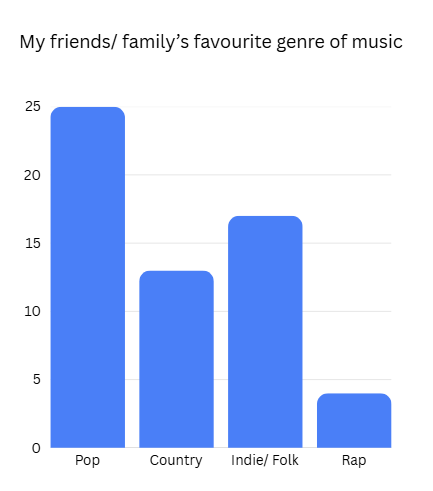
My final week explored data visualization in Daily Creates 6- DataVis (https://edci337rainah.opened.ca/2026/06/22/daily-creates-6-datavis/). This was one of the most abstract forms of media I worked with, and it challenged me to think about how information can be represented visually in ways that are meaningful and easy to interpret. Using sound to generate visual patterns helped me understand how data can be transformed into something more accessible. This week connected to the Signaling Principle again, because effective data visualization relies on highlighting the most important information. It also connected to design thinking, because I had to experiment with different inputs and reflect on how the visuals changed. This experience helped me see how data visualization can support learning by making complex information easier to understand.
Across all six weeks, I engaged in design thinking by experimenting, revising, and making intentional choices to improve clarity and engagement. Whether I was writing a poem, recording audio, filming a video, or creating a data visualization, I had to think about the how to draw interest to the media, match the needs of the audience, and how to communicate meaning effectively. This process helped me understand how design thinking supports multimedia learning projects by encouraging creativity, problem‑solving, and reflection.
I also created a wide range of media examples throughout the course, exploring different ways they can be incorporated into stories and media. These included text‑based pieces, images, videos, audio recordings, multimedia edits, and data visualizations. These artifacts allowed me to try different methods of using multimedia, and demonstrated my ability to work with different media formats and experiment with new tools. All of these creations are linked in my Daily Creates posts, making it easy to see how each example connects to the course learning goals and specific medias.
Throughout this course, I didn’t rely on GenAI to create my poems, stories, videos, or other Daily Creates. All of the creative work was my own, which was important to me because I wanted to genuinely explore each form of media. I also just personally do not trust AI to be responsible for any of my work due to the unreliability and environmental factors. Even though I am not the biggest fan of AI use to generate my artifacts, I still learned a lot about its role in education and why it matters to understand how to use it responsibly. As a future teacher, I know my students will grow up surrounded by AI tools, and part of my job will be helping them understand when AI can support their learning and when it might limit their creativity or accuracy. Learning about GenAI in this course helped me see how it can be a helpful tool for brainstorming, clarifying ideas, or refining writing, but also why it’s important to teach students to use it ethically, thoughtfully, and being able to understand its limitations.
Of course, I faced challenges along the way. Writing poetry felt unfamiliar at first, especially the structured limerick as it had been so long since I have had to write any poetry. Recording audio made me self‑conscious about my tone and pacing, especially since I was recovery from jaw surgery and my speech was not the most clear. The video creation made me think about framing, narration, and any distracting visuals/ noise that could impact the message. I also struggled to find a good topic and reliable research for my data visualization prompt. But each challenge helped me grow as a multimedia creator, and working through them gave me confidence to try new tools and formats.
Looking back on this course, I can see how valuable these skills will be in my future career in elementary education. Young learners benefit from clear visuals, simple audio explanations, interactive storytelling, and multimodal learning opportunities. The ability to create engaging multimedia resources will help me support diverse learners and make lessons more accessible. This course also reminded me how important creativity is—not just for students, but for teachers as well. As a future educator, I want to model creativity, encourage exploration, and give students opportunities to express themselves through multiple forms of media. The skills I developed in this course will support me not only in my teaching career but also in future courses and in my everyday life as someone who values clear, thoughtful communication.
Resources
https://edci337rainah.opened.ca/2026/06/22/daily-creates-6-datavis/
https://edci337rainah.opened.ca/2026/06/12/daily-creates-5-multimedia/
https://edci337rainah.opened.ca/2026/06/06/daily-creates-4-video/
https://edci337rainah.opened.ca/2026/05/30/daily-creates-3-images/
https://edci337rainah.opened.ca/2026/05/24/daily-creates-2/
https://edci337rainah.opened.ca/2026/05/22/week-1-text/ Course Outline – EDCI 337
https://educationaltechnology.net/mayers-principles-of-multimedia-learning/
Recent Comments